
AI Automation Services That Save You Hours Every Week
If you are still copying leads from one spreadsheet to another, replying to the same five questions ten times a day, and chasing follow-ups from memory, you are not short on effort. You are short on systems. That is exactly what my AI automation services are built to fix.
I am Md Alamin, a digital marketer with seven years of experience, and I help small and growing businesses replace repetitive manual work with simple, reliable automation. Not science-fiction robots. Not a system so complicated that nobody on your team will use it. Practical automation: when a lead comes in, it is captured, followed up, logged in your CRM, and handed to the right person — without you touching it.
In this page I will explain exactly what I automate, how I work, which tools I use, what it costs, and what kind of results you can honestly expect. If, by the end, it sounds like the right fit, you can ask for a free audit and I will tell you plainly whether automation will save you real time — or whether you are better off waiting.
Get a free automation audit — request a quote here or talk to me here.
The Problem I Solve: Busy Work Is Eating Your Business
Most businesses I talk to do not have a marketing problem first. They have a follow-up problem, a data-entry problem, and a “nobody replied in time” problem.
A lead fills in a form on your website at 11 pm. Nobody sees it until the next morning. By then, they have already messaged two competitors. A customer asks the same question about pricing, delivery, or opening hours for the twentieth time, and someone on your team types the same answer again. A sale is agreed on WhatsApp, but nobody updates the spreadsheet, so nobody knows whether the invoice was sent. A report that should take five minutes takes two hours every Friday because the numbers live in four different tools.
None of this is your team’s fault. It is what happens when a business grows faster than its systems. Every manual step is a place where work can be forgotten, delayed, or done twice. Automation removes those steps — or at least the boring, repeatable parts of them — so your team can spend its time on the work that actually needs a human: talking to customers, closing deals, and delivering a good service.
That is the promise of this service in one sentence: fewer repetitive tasks, faster replies, fewer leads lost, and a clearer picture of what is happening in your business — every single day.
What My AI Automation Services Include
Every business is different, so I never sell a fixed “automation package” and hope it fits. I start with an audit of how work actually flows through your business today, then I build the automations that save the most time first. The deliverables below are the building blocks I use most often. You may need three of them, or all of them. The audit decides.
1. Lead Follow-Up Automation
This is usually the highest-value automation I build, because slow follow-up is where most businesses lose money they never see.
When a new lead arrives — from your website form, Facebook Lead Ads, Google Ads, WhatsApp, or email — the system captures it automatically, adds it to your CRM or spreadsheet, and sends an instant acknowledgement. Then it follows a follow-up sequence you approve in advance: a helpful message after a few minutes, a reminder the next day, and a final check-in a few days later. If the lead replies, a human takes over immediately. If they do not reply, the system keeps the conversation warm without anyone having to remember to do it.
I also set up lead routing, so enquiries go to the right person or team based on service, location, or budget. And I add simple lead scoring where it helps: a lead who asked for a quote and visited your pricing page is treated differently from someone who only downloaded a free guide. Your team stops guessing who to call first.
2. AI Chatbots for Your Website and Facebook Page
An AI chatbot is not meant to replace your team. It is meant to answer the questions that do not need a human, at any hour, so your team only handles the conversations that matter.
I build chatbots that answer your most common questions — pricing, services, opening hours, delivery areas, booking steps — using answers you approve. The chatbot can collect a visitor’s name, contact details, and requirement, qualify the lead with two or three simple questions, and book a call or pass the conversation to a human on WhatsApp, Messenger, or email. Outside working hours, it takes the message and promises a reply time, instead of leaving the visitor staring at silence.
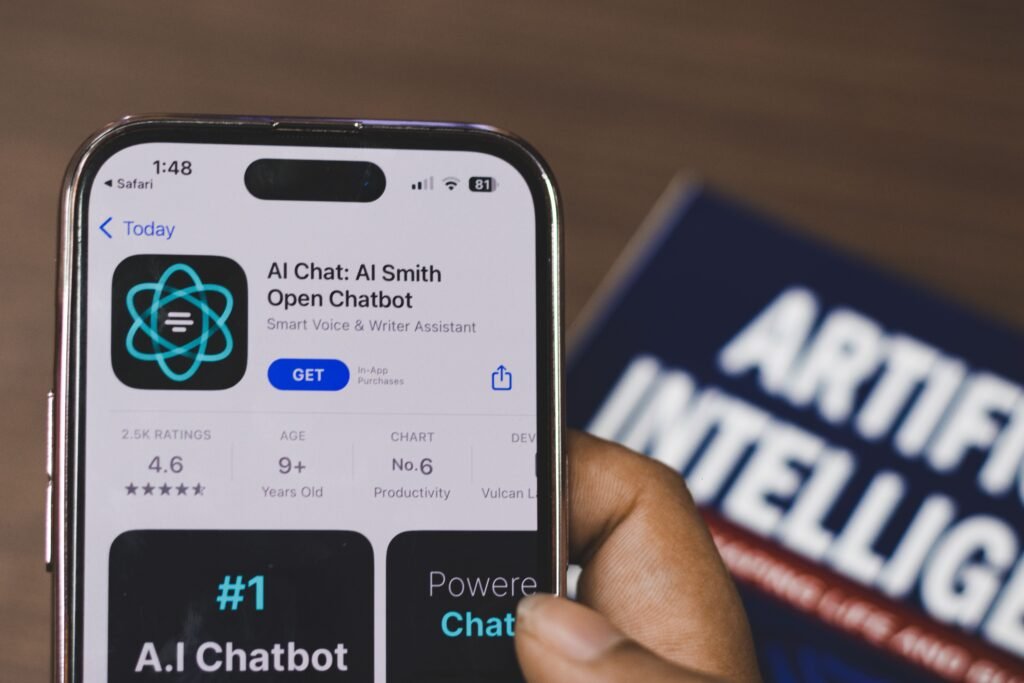
I set clear limits on what the chatbot is allowed to say. It never invents prices, never promises a delivery date you have not approved, and always offers a human handover. That matters, because a chatbot that gives a wrong answer is worse than no chatbot at all.
3. CRM Workflows and Pipeline Automation
A CRM only works if someone updates it. Most teams do not, because updating it feels like extra work. So I automate the updates.
When a lead moves from “new” to “contacted” to “quoted” to “won”, the system updates the record, sets the next task, and reminds the owner. When a deal has had no activity for a set number of days, it flags it so it does not go cold quietly. When a customer buys, the system can trigger an onboarding sequence: a thank-you message, the next steps, and a request for feedback at the right time. When a contract or subscription is about to renew, the system reminds your team before the customer has to chase you.
I work with the CRM you already use where possible — HubSpot, Zoho CRM, Pipedrive, GoHighLevel, or a well-structured Google Sheet for smaller businesses — rather than forcing you to switch tools on day one. If your current setup cannot support the workflow you need, I will tell you that honestly and suggest the simplest change that fixes it.

4. Email and SMS Automation
Email and SMS are still the most reliable ways to follow up, remind, and re-engage — but only when the message is sent at the right moment and says something useful.
I build email and SMS sequences for the moments that matter: new lead welcome messages, quote follow-ups, appointment reminders, abandoned enquiry recovery, post-purchase thank-you and review requests, and win-back messages for customers who have gone quiet. Each sequence is written in your voice, approved by you, and triggered by real behaviour — not sent to everyone on a list on a random Tuesday.
I also set up the boring-but-essential parts: unsubscribes that actually work, sender settings that keep your emails out of spam folders, and simple reporting so you can see open rates, reply rates, and which message actually led to a booking or a sale.
5. AI Content Workflows
AI can help you create content faster, but it cannot replace your judgement — and content written entirely by AI, with no human review, rarely ranks or converts well. My approach is a workflow, not a magic button.
I build content workflows where AI does the first draft of the repetitive parts — outlines, summaries, social media variations, product descriptions, FAQ drafts — and a human reviews, corrects, and adds real experience before anything is published. I also set up repurposing workflows: one blog post becomes a set of social posts, an email, and a short video script, with each piece checked before it goes out. This is especially useful alongside my SEO work, because consistent, helpful content is what brings traffic in the first place. If you are targeting clients in a specific market, see my location pages for the USA, Canada, UK, and London — automation and SEO work best together, because automation captures the traffic that SEO brings in.
6. Tool Integrations: Zapier, Make, and Your Existing Software
Most businesses already pay for five or six tools that do not talk to each other. I connect them.
Using integration platforms such as Zapier and Make, I build connections like these: a Facebook Lead Ad creates a contact in your CRM and sends a WhatsApp message; a new Shopify or WooCommerce order updates your inventory sheet and notifies your team; a Calendly booking creates a CRM deal and sends a reminder SMS; a Google Form response creates a task in your project tool. No more copying and pasting between tabs. No more “did anyone update the sheet?”
I also connect AI tools into these workflows where they add real value — for example, summarising a long customer email into a short CRM note, drafting a first reply for a human to approve, or categorising incoming enquiries so they reach the right team. The rule is simple: if an integration saves measurable time and does not add risk, I build it. If it adds complexity for no benefit, I say so.
7. Reporting Automation
You cannot improve what you cannot see. I build simple automated reports that pull your key numbers together — leads this week, source of each lead, response time, follow-ups sent, deals won, and revenue where the data is available — and deliver them to you by email or into a dashboard on a schedule you choose.
The point is not a beautiful dashboard nobody opens. The point is one short weekly report that tells you, in two minutes, whether your marketing and sales are working, and where the leaks are. I keep the number of metrics small on purpose. Ten numbers you actually read beat fifty numbers you ignore.
My 5-Step AI Automation Process
I follow the same five steps on every automation project. It keeps the work focused, and it means you always know what happens next.
Step 1: Free Audit — Map How Work Flows Today
We start with a free audit. I look at how leads reach you now, how your team follows up, which tools you use, and where time is being lost. I usually do this in a short call plus a look at your current tools and forms, with your permission. At the end of this step, you get a short, honest list: the three to five automations that would save the most time, in priority order, and anything I think you should not automate yet. If automation will not help you enough to justify the cost, I will tell you that too.
Step 2: Design — Agree the Workflow Before Anything Is Built
Before I build anything, I draw the workflow in plain language: when this happens, then this happens, and this person is notified. You approve every message the system will send, every rule it will follow, and every limit on what it is allowed to do. This step prevents the most common automation mistake — building a clever system that does the wrong thing, very efficiently. We agree what “done” looks like before a single workflow is switched on.
Step 3: Build — Set Up, Connect, and Test
I build the automations in your accounts, using your tools, so you own everything. I connect the tools, write the messages, set the rules, and test each workflow with real test data — including the edge cases, like what happens when a lead gives an incomplete phone number, or when two people reply at the same time. Nothing goes live until it has been tested. For chatbots and AI replies, I test the questions your customers actually ask, not just the easy ones.
Step 4: Launch — Go Live in Stages, Not All at Once
I launch in stages, starting with the highest-value workflow, so your team can get used to one change at a time. I provide a short, plain-English guide for each automation — what it does, when it runs, and what to do if something looks wrong — and a short training call for your team. The goal is that your team trusts the system, because they understand it. A system nobody trusts is a system nobody uses.
Step 5: Monitor, Improve, and Hand Over
Automation is not “set and forget”. In the first few weeks after launch, I monitor the workflows, check the messages being sent, fix anything that misfires, and tune the timing and wording based on real results. Then I hand everything over to you with documentation: what was built, where it lives, how to change a message, and how to switch an automation off safely. You can keep me on for ongoing improvements, or run it yourself. Either way, you own the system.
Tools I Use
I choose tools based on what fits your business, your budget, and the tools you already pay for — not based on any partnership or commission. I have no exclusive deals with any of these companies. The list below is what I use most often, and I will always explain why a particular tool is the right choice for your case.
AI chat and conversational tools: ChatGPT and Claude for drafting, summarising, and content workflows; ManyChat and Chatfuel for Facebook Messenger and Instagram automation; Intercom and Tidio for website live chat and chatbots; WhatsApp Business API, via approved providers, for WhatsApp automation where it is appropriate.
Automation and integration platforms: Zapier and Make (formerly Integromat) for connecting apps without custom code; n8n for more advanced or self-hosted workflows where a client needs that level of control; native integrations inside HubSpot, Zoho, and GoHighLevel where they do the job more simply than a third-party connector.
CRM and sales tools: HubSpot, Zoho CRM, Pipedrive, and GoHighLevel for businesses that need a full CRM; Google Sheets and Airtable for smaller businesses where a simple, well-structured sheet is honestly enough. I do not recommend a heavy CRM to a business that only needs a good spreadsheet and a follow-up system.
Email and SMS tools: Mailchimp, Brevo, and ActiveCampaign for email automation; Twilio and similar SMS providers for text reminders and follow-ups. I choose based on your list size, your sending volume, and your country’s rules on marketing messages.
Reporting and analytics: Google Sheets and Looker Studio for simple automated reports and dashboards; Google Analytics 4 for website and campaign data. If you want to understand why your website is or is not bringing in enquiries, my blog on why your website is not ranking on Google explains the most common causes, and my guide to local SEO services covers how local businesses get found on Google Maps.
Website and lead capture tools: WordPress with WPForms, Gravity Forms, or Elementor Forms for lead capture; Calendly for booking; Facebook Lead Ads and Google Ads for lead generation, connected directly into the automation so no lead waits in an inbox.
What Does AI Automation Cost?
This is the question everyone asks, and the honest answer is: it depends on how many workflows you need, how many tools have to be connected, and how much content and message writing is involved. A single chatbot and a lead follow-up sequence is a small project. A full CRM rebuild with ten workflows, integrations, and reporting is a much larger one. That is why I do not publish a fixed price list.
My price is always quote on enquiry after a free audit. I audit your current setup first, agree the exact scope with you, and then give you a fixed quote for that scope. No hourly surprises, and no charge for the audit itself.
The table below shows public market ranges for AI automation work, so you can judge what is reasonable before you talk to anyone — including me. These are market ranges, not my prices. My quote may be above or below these ranges depending on your scope, and I will explain exactly why.
| Service | Typical public market range* | What usually affects the price |
|---|---|---|
| AI chatbot setup (website or Facebook) | $500 – $3,000 one-time | Number of questions, languages, integrations, human handover setup |
| Lead follow-up automation | $400 – $2,500 one-time | Number of channels, follow-up steps, CRM connection |
| CRM setup and workflow automation | $800 – $5,000 one-time | CRM choice, number of pipelines, data cleanup needed |
| Email / SMS automation sequences | $300 – $2,000 one-time | Number of sequences, copywriting, list size |
| Tool integrations (Zapier / Make) | $200 – $1,500 per integration set | Number of apps, complexity, error handling |
| Monthly automation management | $300 – $1,500 per month | Number of workflows, monitoring, monthly improvements |
* These figures are public market ranges gathered from commonly published freelance and agency rates, shown for comparison only. They are not my prices. My price is quote on enquiry after a free audit.
Before you spend anything, the free audit tells you the expected time saving. If an automation saves your team five hours a week, you can judge for yourself whether the quote is worth it. I will also tell you the honest timeline: most small automation projects are set up in two to four weeks, larger ones in four to eight weeks, and time savings become visible once the workflows have been running for a few weeks with real leads — not on day one.
A Case-Style Example: How This Usually Works in Practice
This is an example approach based on the kind of project I do most often. It is not a named client, and the numbers are illustrative of the approach, not a promised result for your business.
A small service business — the kind that gets enquiries from its website, Facebook page, and WhatsApp — was losing leads because replies were slow and follow-ups depended on whoever remembered. The owner was spending two hours a day copying details between WhatsApp, a notebook, and a spreadsheet.
The approach I would take is: first, connect the website form, Facebook Lead Ads, and WhatsApp into one place, so every lead lands in a single list with its source attached. Second, set up an instant acknowledgement and a three-step follow-up sequence, with a human taking over as soon as the lead replies. Third, add a simple chatbot on the website and Facebook page to answer the five most common questions and collect the details the team needs before a call. Fourth, connect the booking calendar so a qualified lead can book directly, with an automatic reminder. Fifth, set up one weekly report showing leads by source, response time, and bookings made.
In the first month, the team would stop losing leads to slow replies, because every lead gets an answer in minutes, and nobody has to remember to follow up. The owner would get back the time spent on copying data, and would finally see which channel brings the best leads. That is the realistic outcome I aim for: not magic, just a business that responds faster, forgets less, and knows its numbers.
If your business is similar, the audit will show you which of these steps matters most for you, and in what order to build them. If your business is different, the audit will show that instead — and I will build what fits you, not what fitted the last client.
Frequently Asked Questions
1. What exactly are AI automation services?
AI automation services use software — including AI tools — to carry out repetitive business tasks automatically. That includes replying to common customer questions with a chatbot, following up with leads by email or SMS, updating your CRM, connecting your tools so data moves between them without manual copying, and producing simple reports. The “AI” part usually means the system can understand a message, draft a reply, or summarise information. The “automation” part means it happens on its own, at the right moment, every time. You still control the rules, the messages, and when a human takes over.
2. Will a chatbot replace my team?
No — and it should not. A chatbot handles the repetitive questions and the out-of-hours messages, so your team spends its time on the conversations that need judgement, empathy, or a decision. Every chatbot I build has a clear human handover: when the question is complicated, the customer asks for a person, or the chatbot is unsure, the conversation goes to a human immediately. Think of it as a receptionist that never sleeps, not a replacement for your team.
3. How long does it take to set up AI automation?
Most small projects — a chatbot plus lead follow-up, for example — take two to four weeks from audit to launch, including testing and team training. Larger projects with CRM work, several integrations, and reporting usually take four to eight weeks. I launch in stages so you get value early, instead of waiting for everything to be perfect. Time savings become visible once the workflows have been running for a few weeks with real leads and real messages, because that is when the data shows what is actually being saved.
4. Do I need to change all my tools to use automation?
Usually not. I work with the tools you already use where possible, and connect them with Zapier, Make, or their built-in integrations. I only recommend changing a tool when your current one genuinely cannot do what you need, and I will explain the reason and the cost before you decide. For many small businesses, a good spreadsheet, a chatbot, and a follow-up system are enough to start — you can move to a full CRM later, when the volume justifies it.
5. Is my customer data safe with automation?
Your data stays in your accounts, under your control. I build automations in your Zapier, CRM, email, and chatbot accounts, so you own the data and the workflows. I do not sell, share, or keep copies of your customer data, and I will only access your accounts with your permission, for the work you have agreed. For AI tools, I use reputable providers and I set the system so that sensitive information is not sent to an AI tool unless it is necessary for the task — and I will tell you in advance when it is. If you have specific privacy or data rules in your country or industry, tell me in the audit and I will build around them.
6. How do I know if automation will actually save me money?
That is exactly what the free audit is for. I map your current process, estimate how many hours a week each automation would save, and tell you the quote — so you can compare the cost against the time saved before you spend anything. As a rough guide, if your team spends more than five hours a week on follow-ups, data entry, or answering the same questions, automation usually pays for itself quickly. If the audit shows the saving is small, I will say so, and I would rather you wait than buy a system you do not need yet.
Not sure where to start? Ask for a free audit and I will show you the three automations that would save you the most time — contact me here.
Why Work With Me on AI Automation?
There are many people who can connect two apps with Zapier. What I bring is seven years of digital marketing experience behind the automation — I understand where leads come from, why they go cold, and what a good follow-up actually looks like, because I have spent years running SEO, Google Ads, and Facebook Ads campaigns and watching what happens after the click. Automation that is not connected to real marketing is just a faster way to do the wrong thing.
I also keep the work practical and honest. I do not promise that AI will double your sales, rank you first on Google overnight, or replace your team. I promise a clear audit, a fixed quote, workflows you own and understand, and time savings you can measure. If you want to see how automation fits with getting found online in the first place, read my guide on how to hire an SEO expert or my breakdown of how much SEO costs in Canada — the same honest, no-guarantee approach applies there too.
You can also see the location pages where I work with clients — SEO expert in the USA, SEO expert in Canada, SEO expert in the UK, and SEO expert in London — because the businesses I help are often in exactly those markets, and automation works the same way for them: capture the enquiry fast, follow up properly, and never let a lead disappear.
Ready to stop doing the same work twice? Get your free automation audit and a quote on enquiry — request a quote here or send me a message at contact and I will reply personally.
About the Author
Md Alamin is a digital marketer with seven years of experience in SEO, Facebook Ads, Google Ads, web analytics, and AI automation. He runs MD Alamin Pro, where he helps small and growing businesses get found on Google, turn clicks into enquiries, and use automation to follow up faster and waste less time. He works with clients in Bangladesh, the USA, Canada, the UK, and Europe, and believes in practical marketing: clear systems, honest timelines, and work you can measure.